How to search for listings on a Broker Tour
How to Search for Properties on a Broker Tour
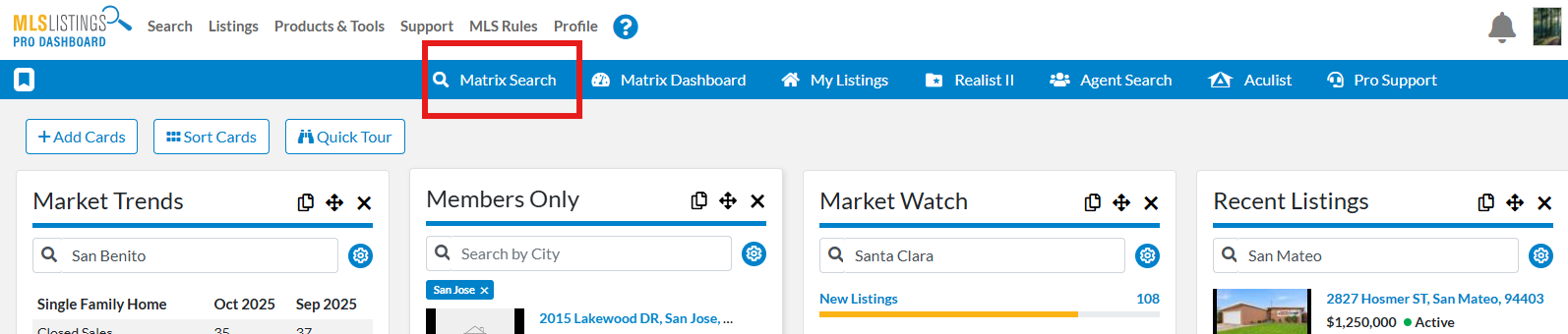
1. From the pro home page, click on the blue "Matrix Search" button
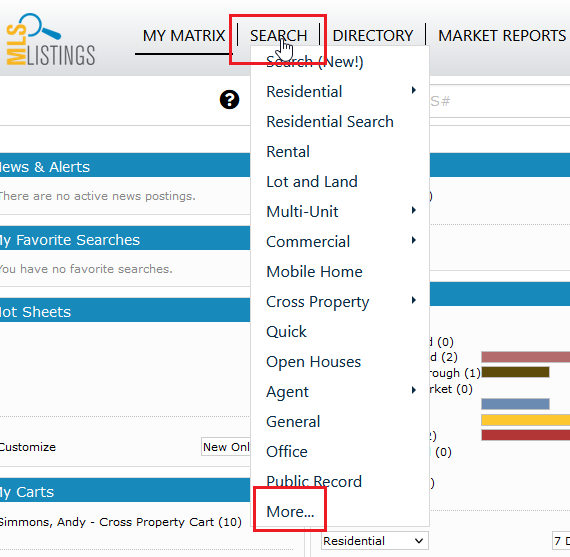
2. In the navigation bar across the top of the page, hover over "Search" and then select "More..."
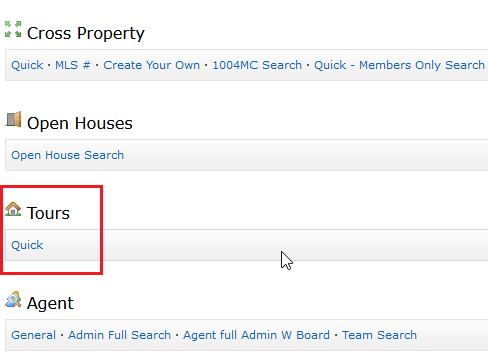
3. Scroll down to "Tours" and click on "Quick"
4. Enter the tour details:
Select the Tour Sponsor
Select the Tour
Enter the Tour Date
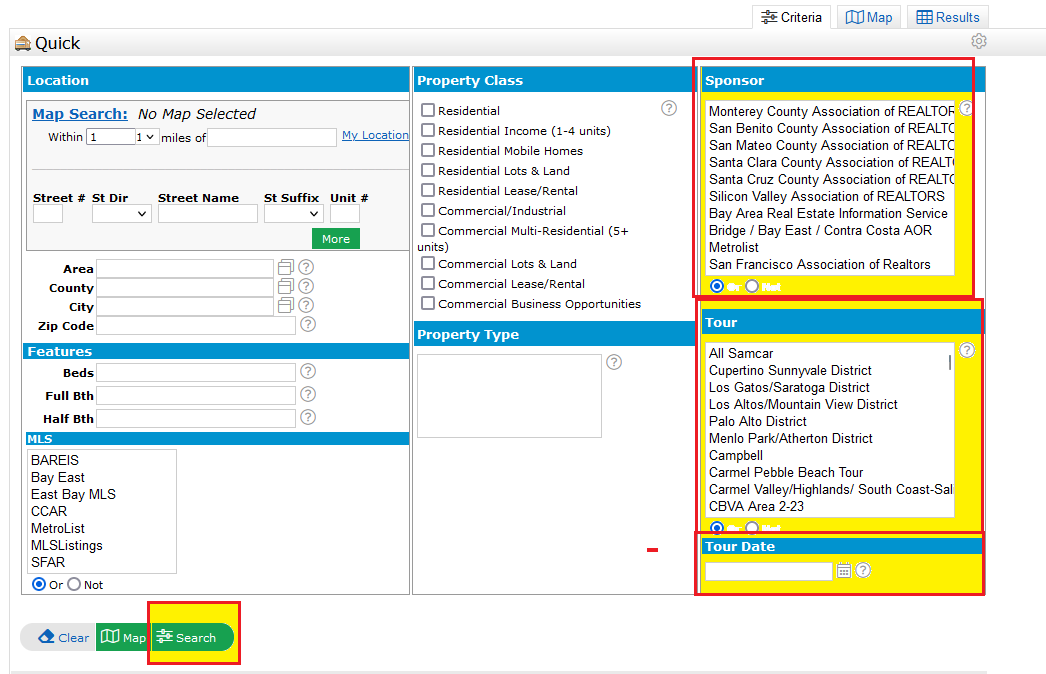
5. You can further refine the search and look for specific property types by entering additional information in the other fields
6. Click on "Search" (at the bottom of the page)
2. In the navigation bar across the top of the page, hover over "Search" and then select "More..."
3. Scroll down to "Tours" and click on "Quick"
4. Enter the tour details:
Select the Tour Sponsor
Select the Tour
Enter the Tour Date
5. You can further refine the search and look for specific property types by entering additional information in the other fields
6. Click on "Search" (at the bottom of the page)
How to Get Driving Directions
1. From the results page, select the properties you are interested in touring by clicking the check-box on the left-hand side of the listing
2. Click on "Directions" (at the bottom of the page)
###