How To Reactivate a Disabled Auto Email and modify.
How to Re-Activate a Disabled Auto Email and make changes to an auto email.
In order to activate an auto email, your client must open the initial “Welcome Email” AND click on the link to visit their portal. If they do not visit the portal within 60 days, the auto email will become disabled.
To re-activate a previously disabled auto email:
1. From the Pro Home Page Click on either "Matrix Dashboard" or "Matrix Search"
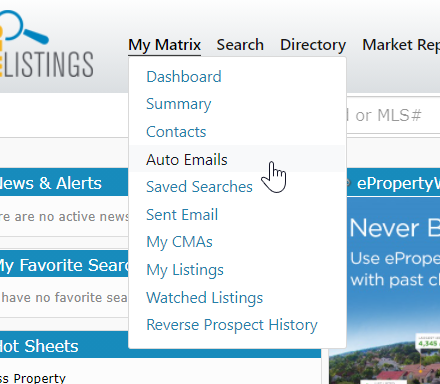
2. At the top of the page, under "My Matrix" select "Auto Emails"
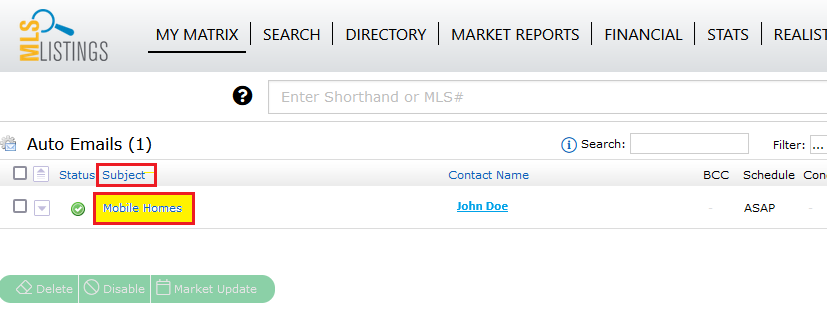
3. Click on the search name of the Auto Email that you want to re-activate. This will open the control box for the auto email.
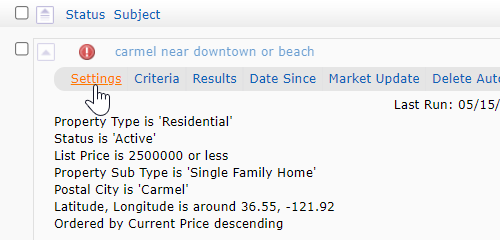
4. In the gray navigation bar, click on "Settings"
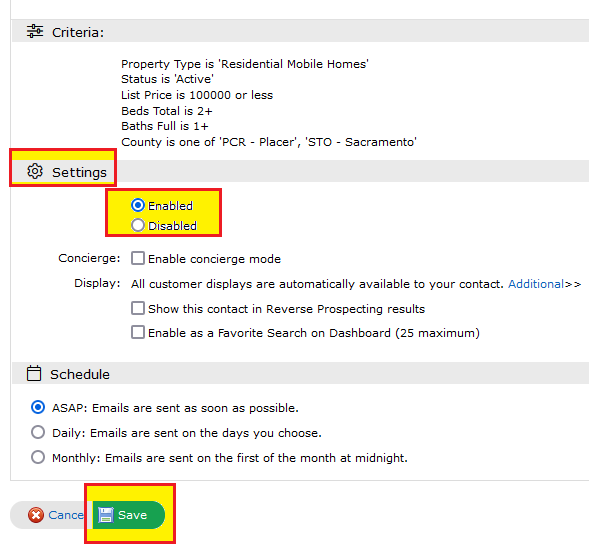
5. Scroll down and check the button in front of "Enable" and then click "Save"
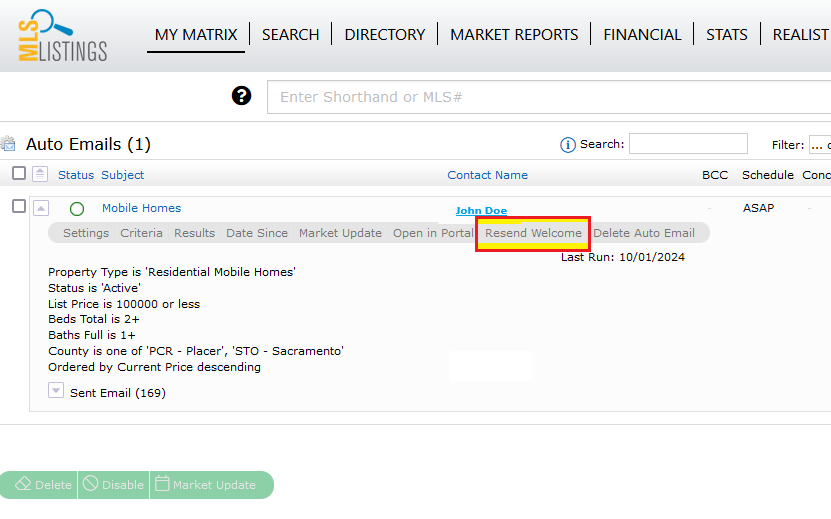
6. In the gray navigation bar under Auto Emails, click on "Resend Welcome". This will resend the intial Welcome Email.
In order to activate an auto email, your client must open the initial “Welcome Email” AND click on the link to visit their portal. If they do not visit the portal within 60 days, the auto email will become disabled.
To re-activate a previously disabled auto email:
1. From the Pro Home Page Click on either "Matrix Dashboard" or "Matrix Search"
2. At the top of the page, under "My Matrix" select "Auto Emails"
3. Click on the search name of the Auto Email that you want to re-activate. This will open the control box for the auto email.
4. In the gray navigation bar, click on "Settings"
5. Scroll down and check the button in front of "Enable" and then click "Save"
6. In the gray navigation bar under Auto Emails, click on "Resend Welcome". This will resend the intial Welcome Email.
To make changes to an auto email, follow the above steps to access your Auto emails.
You have the option to go into settings, as well as criteria to change the frequency of the email, as well as the search criteria of the auto emails.
re-activate, reactivate, re activate, edit, modify
###