Pro: Add the New MLSListings Pro Dashboard to the Home Screen of Your Mobile Device
MLSListings New Pro Dashboard
Pro tip #1: Add an Icon to the Home Screen of Your Phone
The new MLSListings Pro Dashboard is a website that is designed to be mobile friendly. There’s no app to download from an Appstore, and by saving the site as a desktop bookmark, it will have its own icon on your phone screen and act just like an app. Here are the simple steps to add an icon to your phone.
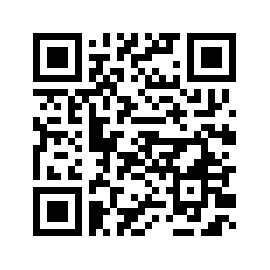
Point your phone camera at the QR code to launch the New Pro Dashboard site and follow the 4 steps below and on the following pages:
Pro tip #1: Add an Icon to the Home Screen of Your Phone
The new MLSListings Pro Dashboard is a website that is designed to be mobile friendly. There’s no app to download from an Appstore, and by saving the site as a desktop bookmark, it will have its own icon on your phone screen and act just like an app. Here are the simple steps to add an icon to your phone.
Point your phone camera at the QR code to launch the New Pro Dashboard site and follow the 4 steps below and on the following pages:
For iPhone:
Step 1. Login to the new Pro Dashboard by using your existing username and password of pro.mlslistings.com
Step 2. After logging in and seeing the new Pro Dashboard, tap the Share button (
Step 3. Then tap “Add to Home Screen” in the menu and finish the setup
Step 4. You will see the “Pro Dashboard” shortcut on the Home Screen. In the future you can tap this shortcut to go to the new Pro Dashboard directly
For Android Phone
Step 1. Login to the new Pro Dashboard by using your existing username and password of pro.mlslistings.com
Step 2. After logging in and seeing the new Pro Dashboard, tap the Settings button (
Step 3. Then tap “Install app” or “Add to Home screen” in the menu and finish the setup
Step 4. You will see the “Pro Dashboard” shortcut on the Home Screen. In the future you can tap this shortcut to go to the new Pro Dashboard directly
###